A home that feels personal
Continue instantly, change the mood, or simply browse a home shaped around your library.
 Discover Ōreia
Made for iPhone and iPad
Your library, discoveries, releases and watch history — gathered in one calm, cinematic iPhone experience.
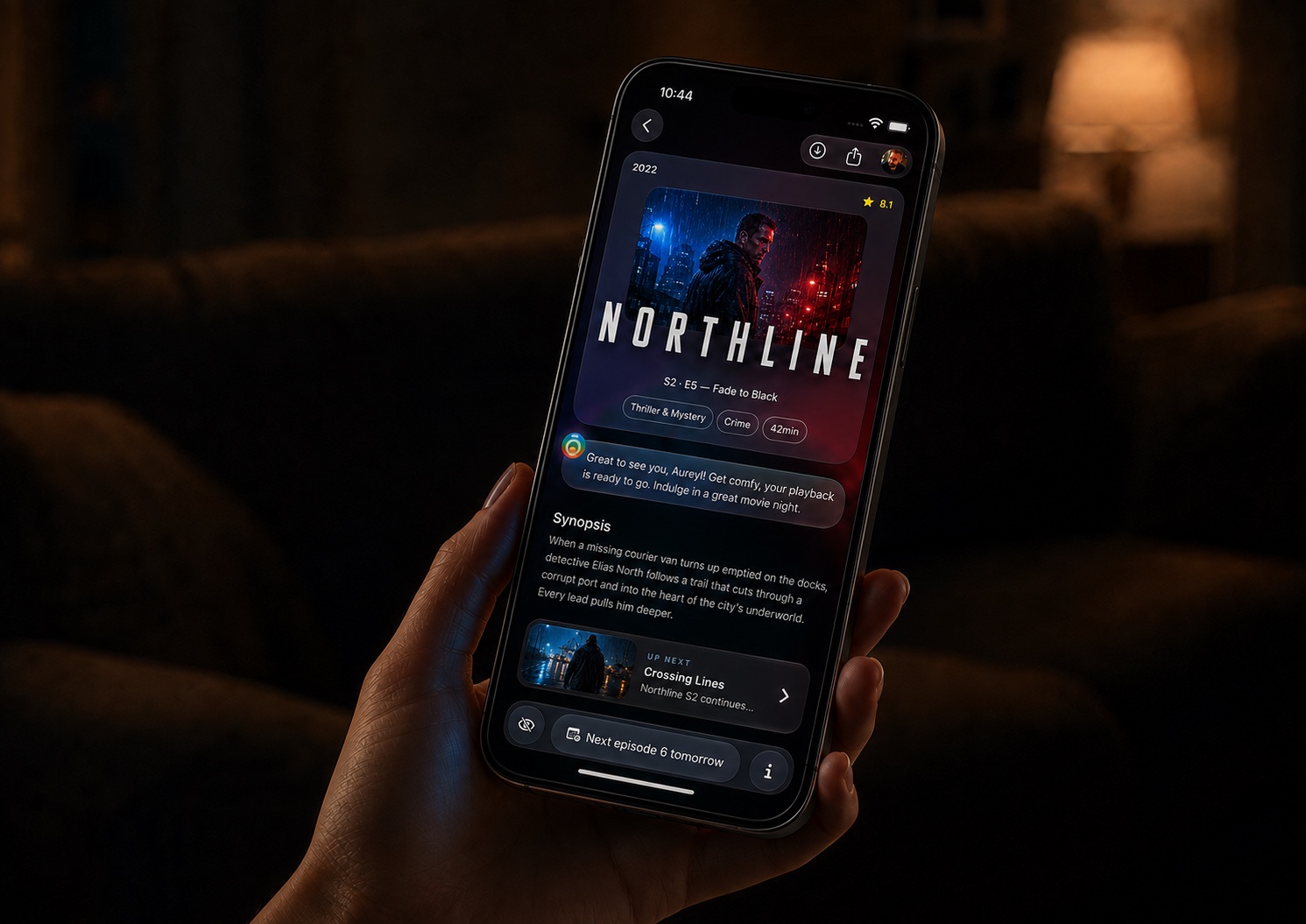
One thoughtful experience
Ōreia puts the essentials within reach: resume a film, explore what is new, follow upcoming releases and rediscover your own viewing story.
Continue instantly, change the mood, or simply browse a home shaped around your library.
Explore cinema and television through rich public metadata, whether or not a personal server is connected.
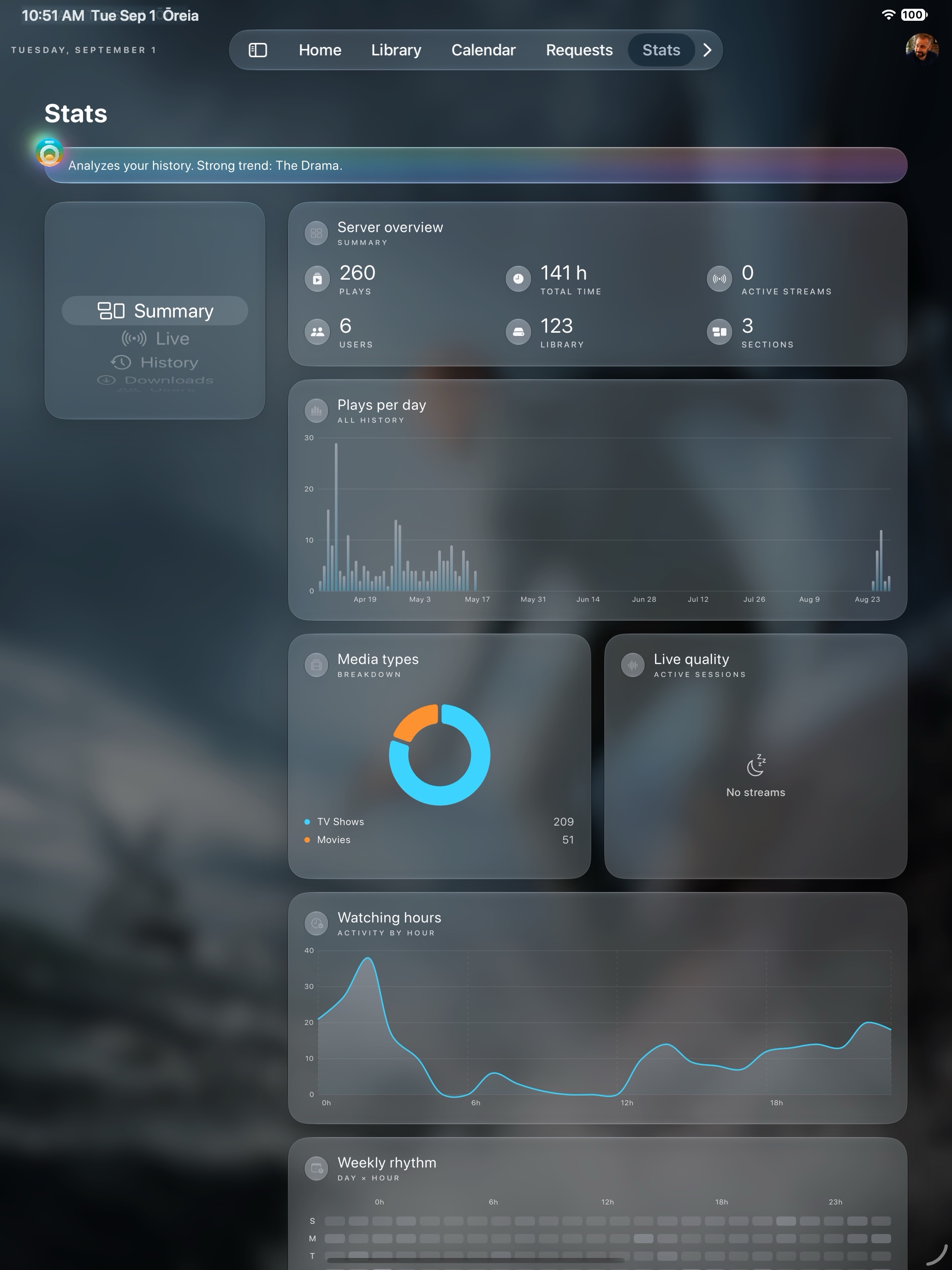
Calendar and stats turn a scattered watch history into a beautiful, useful personal rhythm.
What Ōreia actually does
Ōreia can be useful with public discovery alone, then grows as you connect the services you already use. Each feature below tells you exactly what it does and what it needs.
Explore the public catalogue, rich details, cast, trailers, recommendations and release calendars.
Bring in your own library, resume state and playable files. Either source can be configured independently.
Request new titles, follow acquisition progress and receive the alerts enabled by your server administrator.
Discover
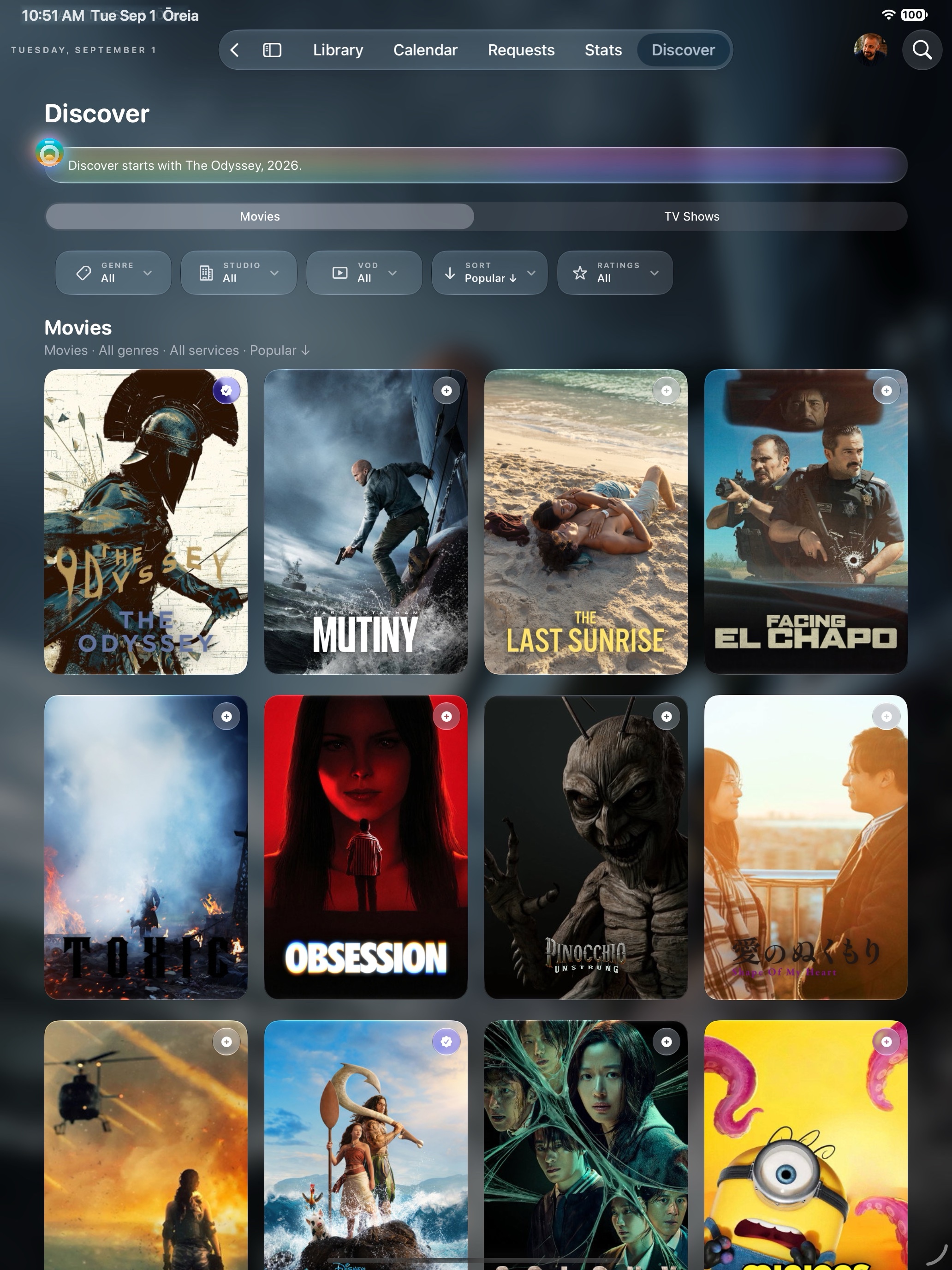
Browse trending films and series, genres, studios, networks and streaming providers. Open a title to see artwork, synopsis, cast, trailers, recommendations and availability. Conversational search and mood-led selections help when you know the feeling, not the title.
Library & playback
Connect Plex to browse libraries, continue watching and retain playback context, or connect WebDAV to reach files directly. Ōreia prioritises direct playback, remembers progress and lets you set preferred audio and subtitle languages.
Requests
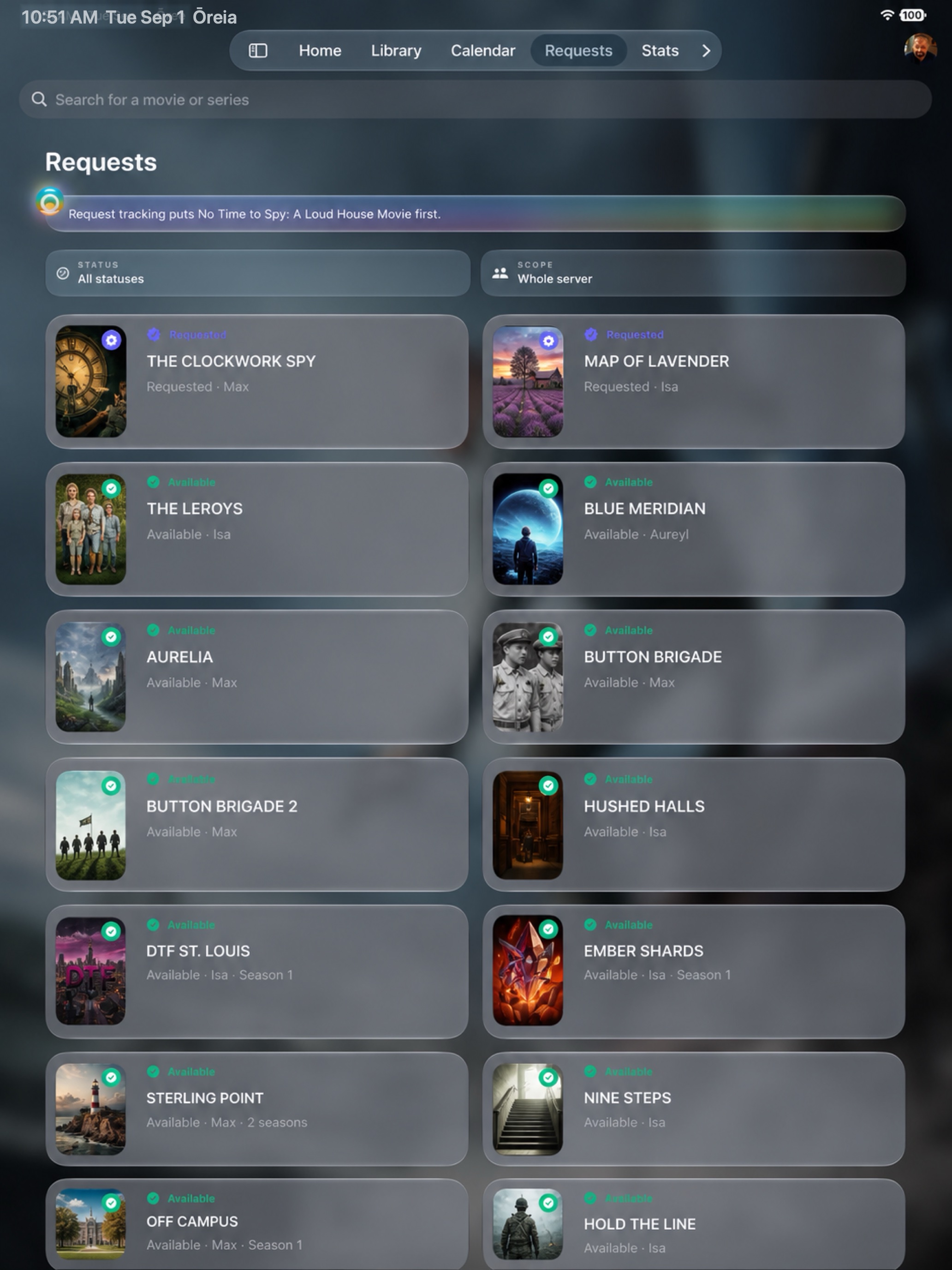
Send a film or series request from its detail page, choose individual seasons, and follow every request in one view. Status filters separate pending, approved, processing and available titles. Administrators can approve or decline pending requests; request owners can cancel when allowed.
Acquisition tracking
Follow whether a requested title is approved, processing or available. When the connected services expose it, Ōreia also shows active Radarr or Sonarr download information and an estimated time remaining, so a request is no longer a black box.
Offline downloads
Download an available Plex item to the device, watch transfer progress, cancel an active download, play completed files offline and see how much storage each item uses. Downloads can be removed individually or all at once.
Notifications
Choose alerts for your own requests and new episodes. Every profile can browse and play the films available in its library; administrators simply have extra server-wide alerts for newly added films, Seerr activity, Tautulli events, service outages and qBittorrent activity. Opening an alert can take you directly to the relevant area or title.
Calendar
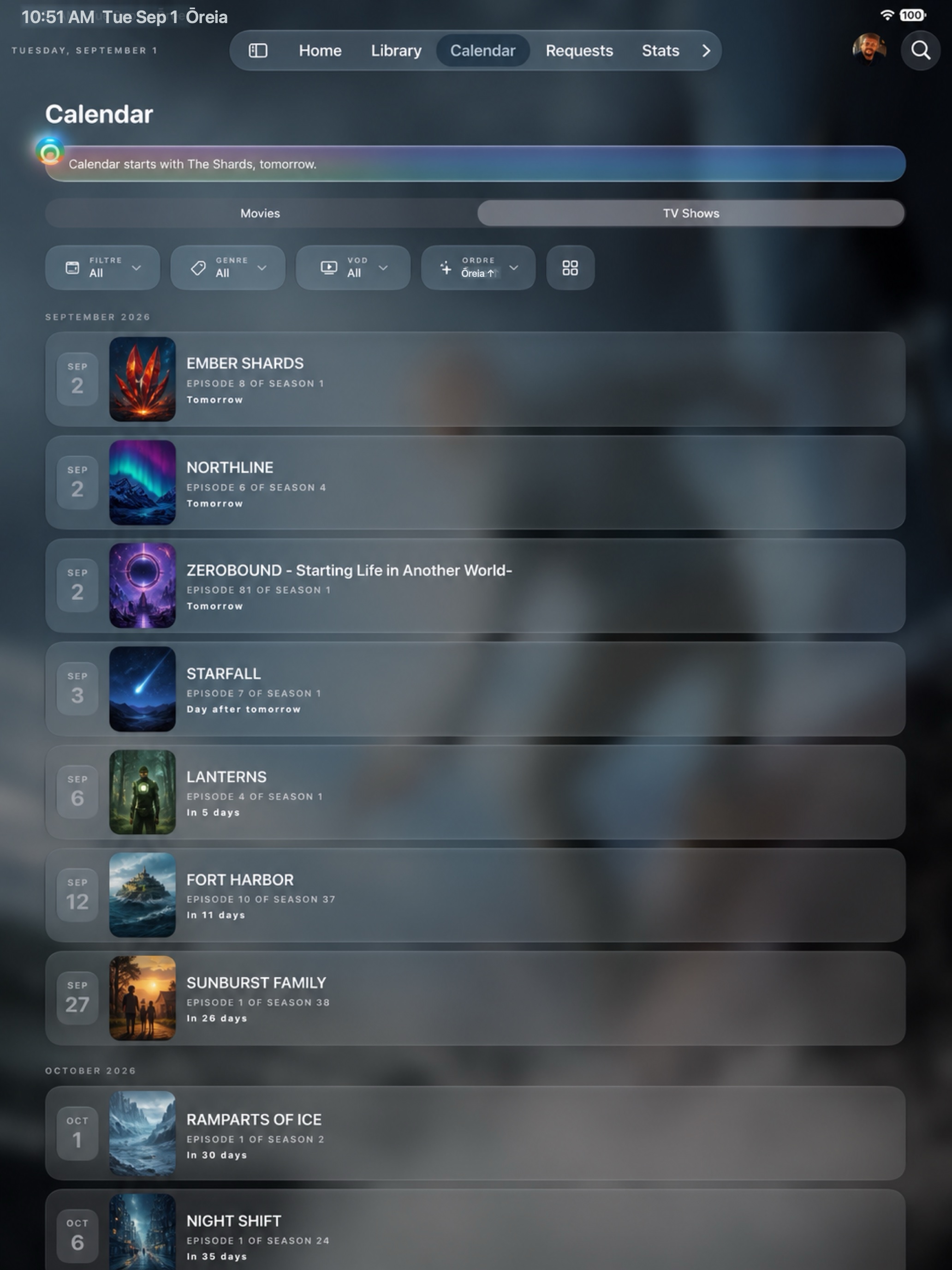
See upcoming film releases and episodes in a visual timeline, move between periods and open any title for full context. The calendar combines public release information with the series and titles relevant to your experience.
History & statistics
Review viewing rhythm, play history, favourite formats and personal patterns. Administrator views add live sessions, users, quality diagnostics, library composition, recently added media and deeper Tautulli-backed analysis.
Apple Intelligence
Ōreia can compose a home briefing, rank personalised discovery, write smarter synopses and trivia, find dormant series, fit suggestions to the time available, understand conversational searches and offer a post-watch debrief.
Profiles, privacy & control
Switch between Plex Home profiles, keep managed profiles protected by their PIN, personalise appearance and playback preferences, and expose administrator controls only where appropriate. Credentials and local media state use Apple system storage on your device.
The Ōreia design language
Artwork fills the stage. Controls stay close, readable and quiet. Every surface is designed to feel native without becoming anonymous.
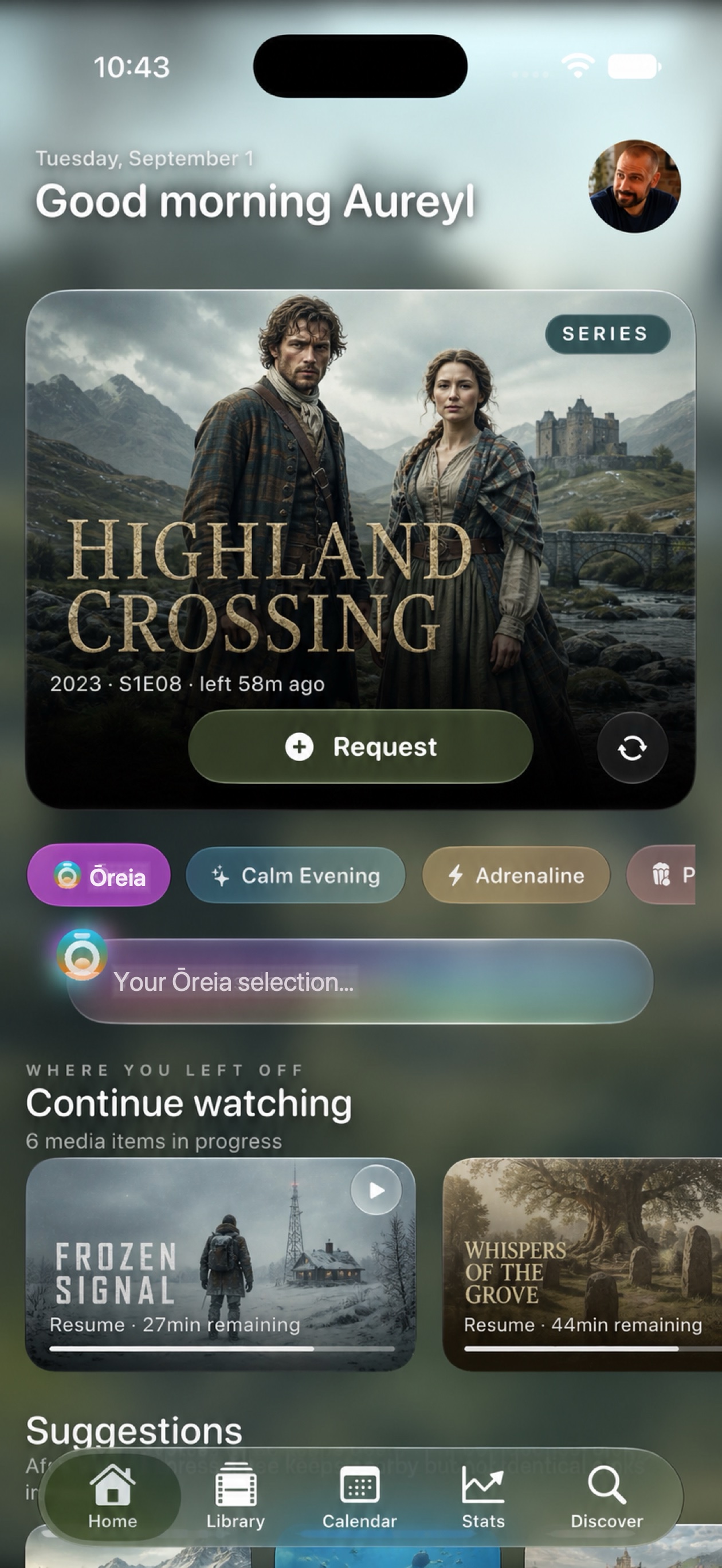
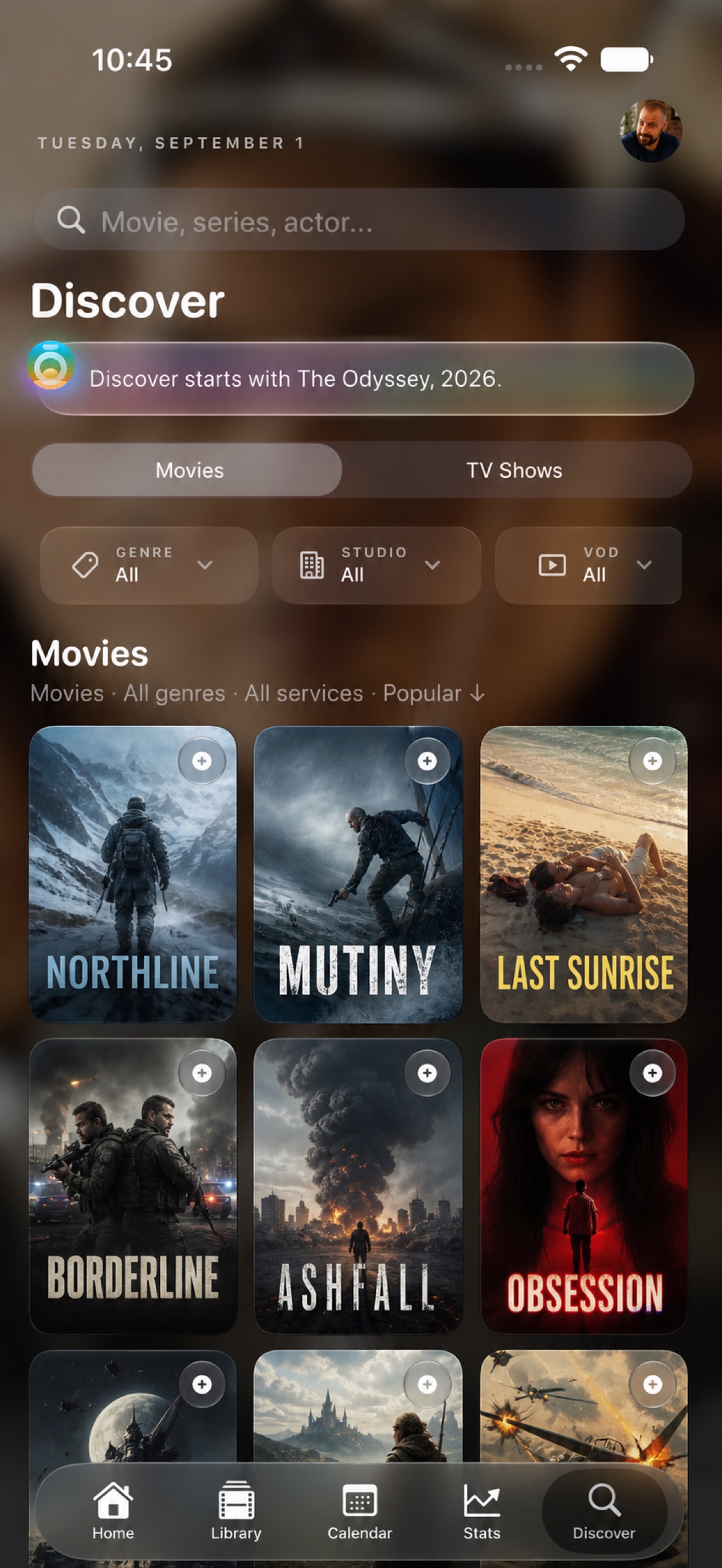
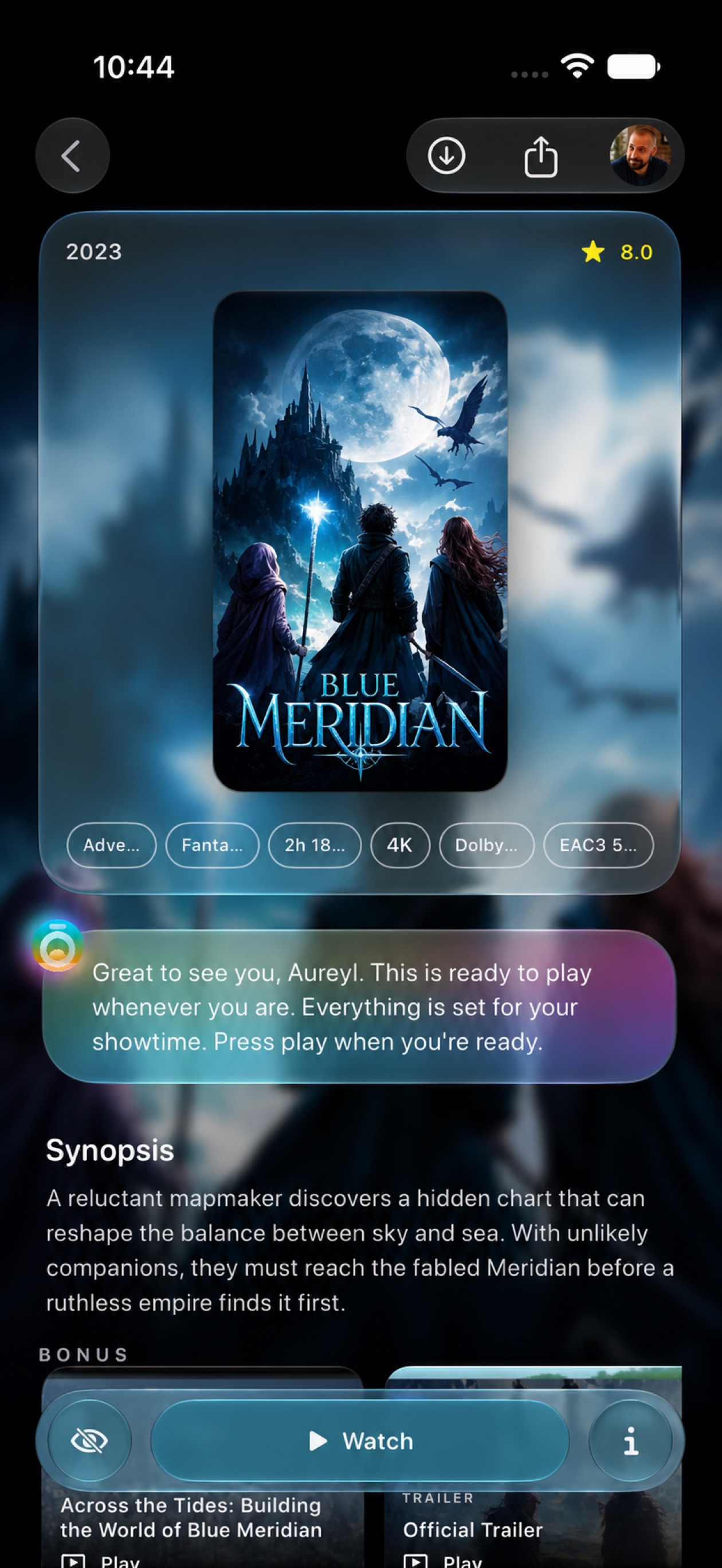
Text and controls support the story instead of competing with it.
Translucent surfaces remain precise, legible and rooted in the image beneath.
Every movement connects one cinematic surface to the next.
The Ōreia mark and restrained colour accents bind the experience together.
A personal front row
Ōreia opens on what matters now: a film ready to resume, a series worth returning to, and suggestions shaped by the mood you choose.
Discovery, reframed
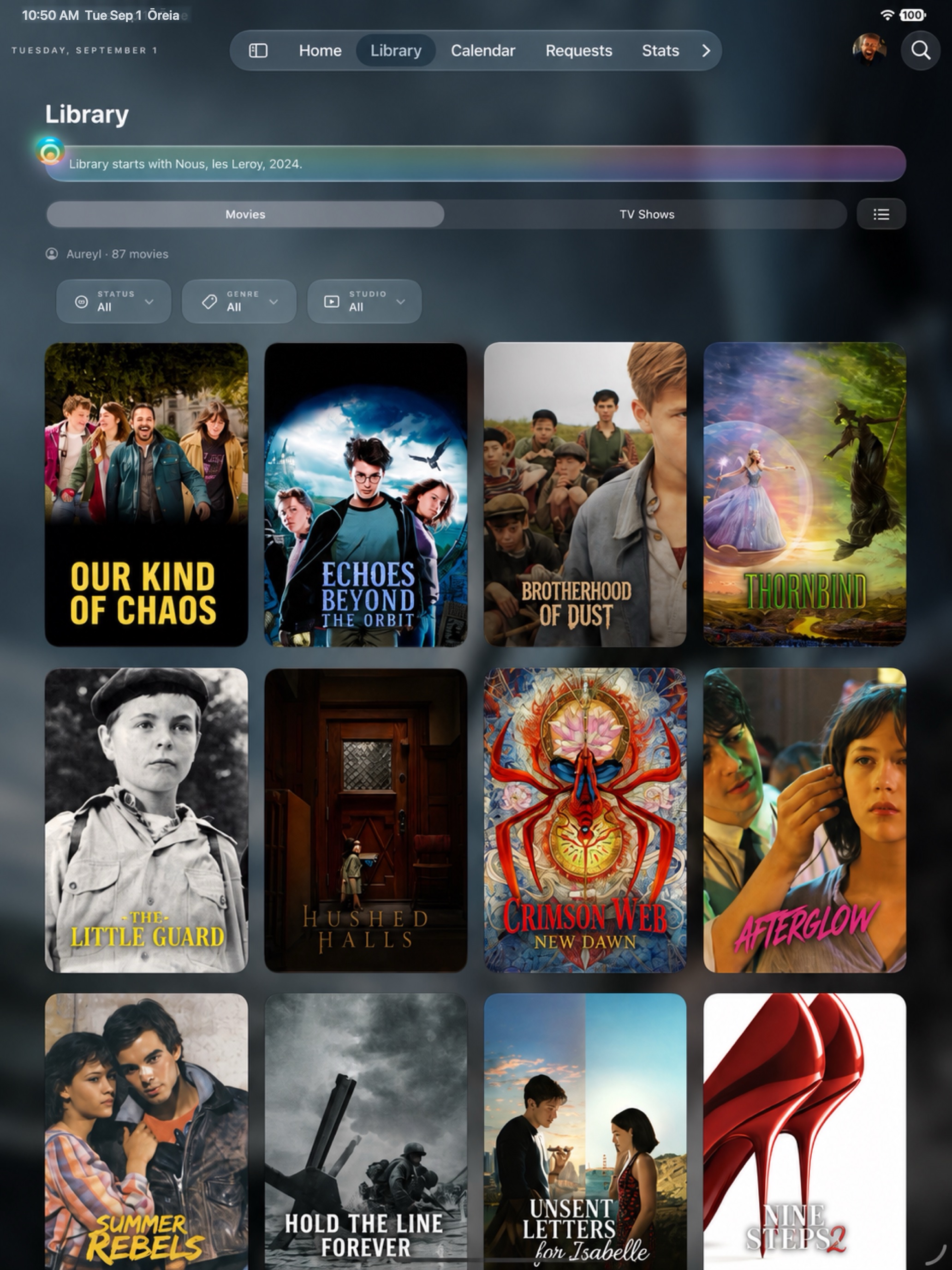
Browse films, series, genres, studios and services through a cinematic catalogue that stays complete even before you connect your own library.
Every story, complete
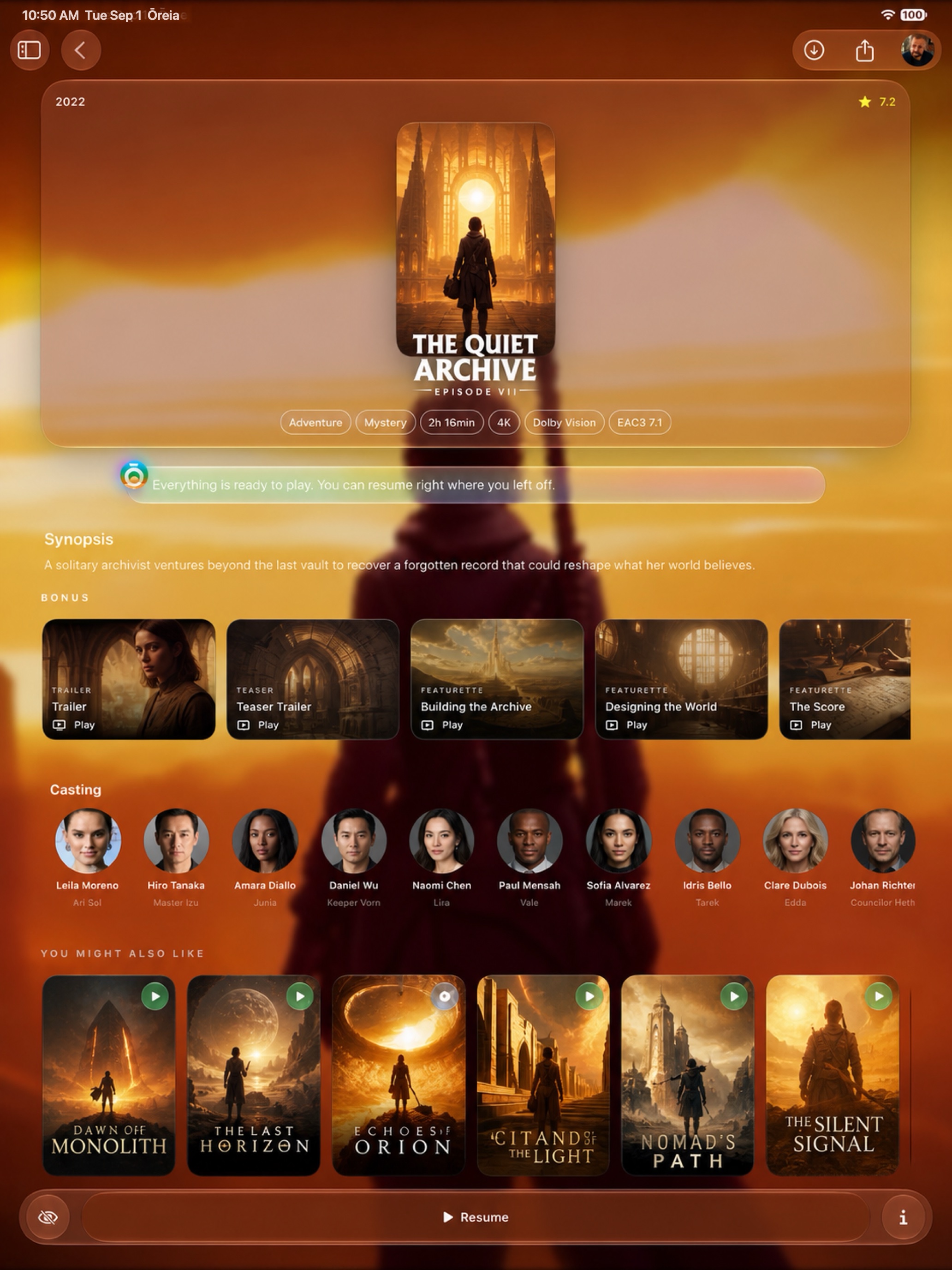
Artwork, synopsis, bonus videos, cast, recommendations and availability live together in one immersive iPhone view.
Your cinema, over time
The calendar brings every release into one visual timeline. Stats turn your history into clear, personal patterns — without reducing films to numbers.
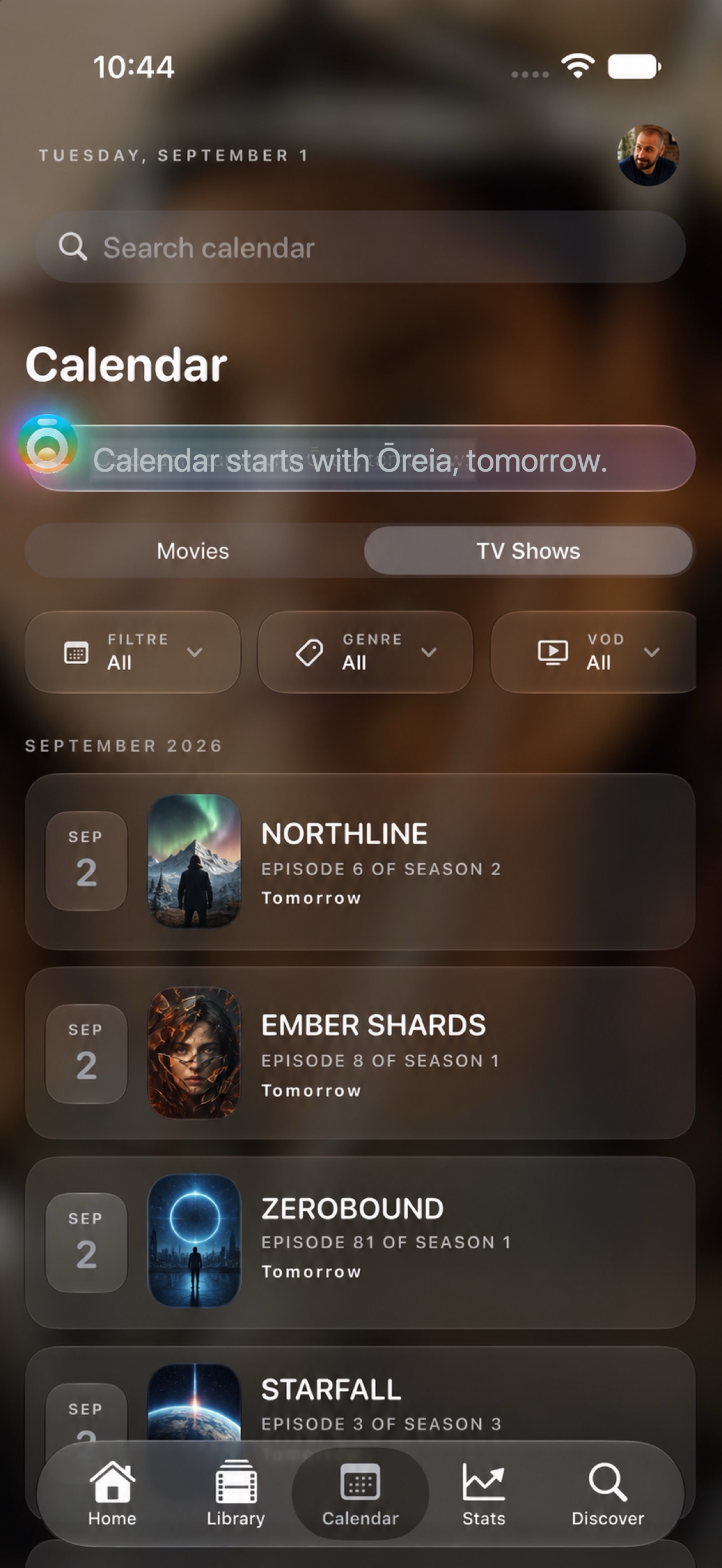
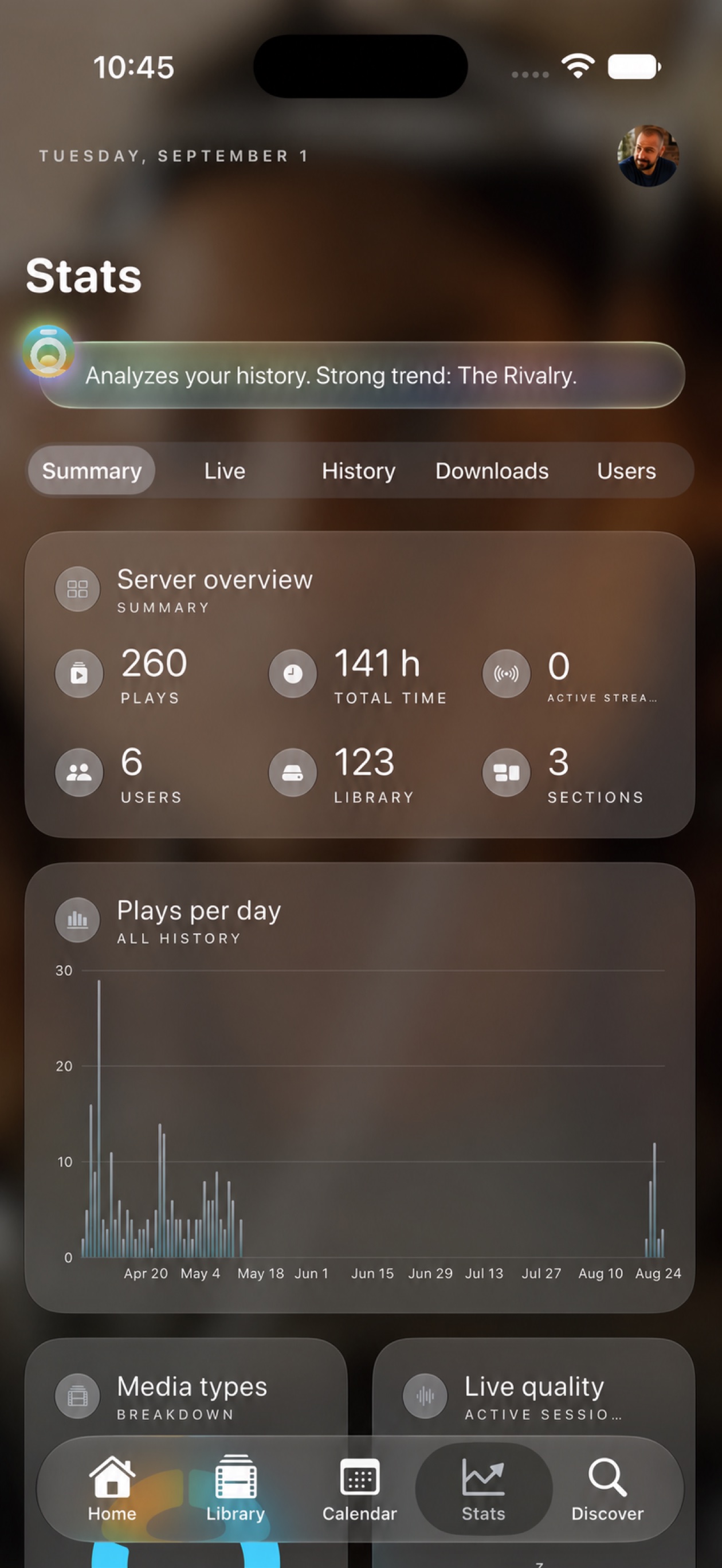
Designed down to the last detail
Tap any screen for a closer look.
And on iPad
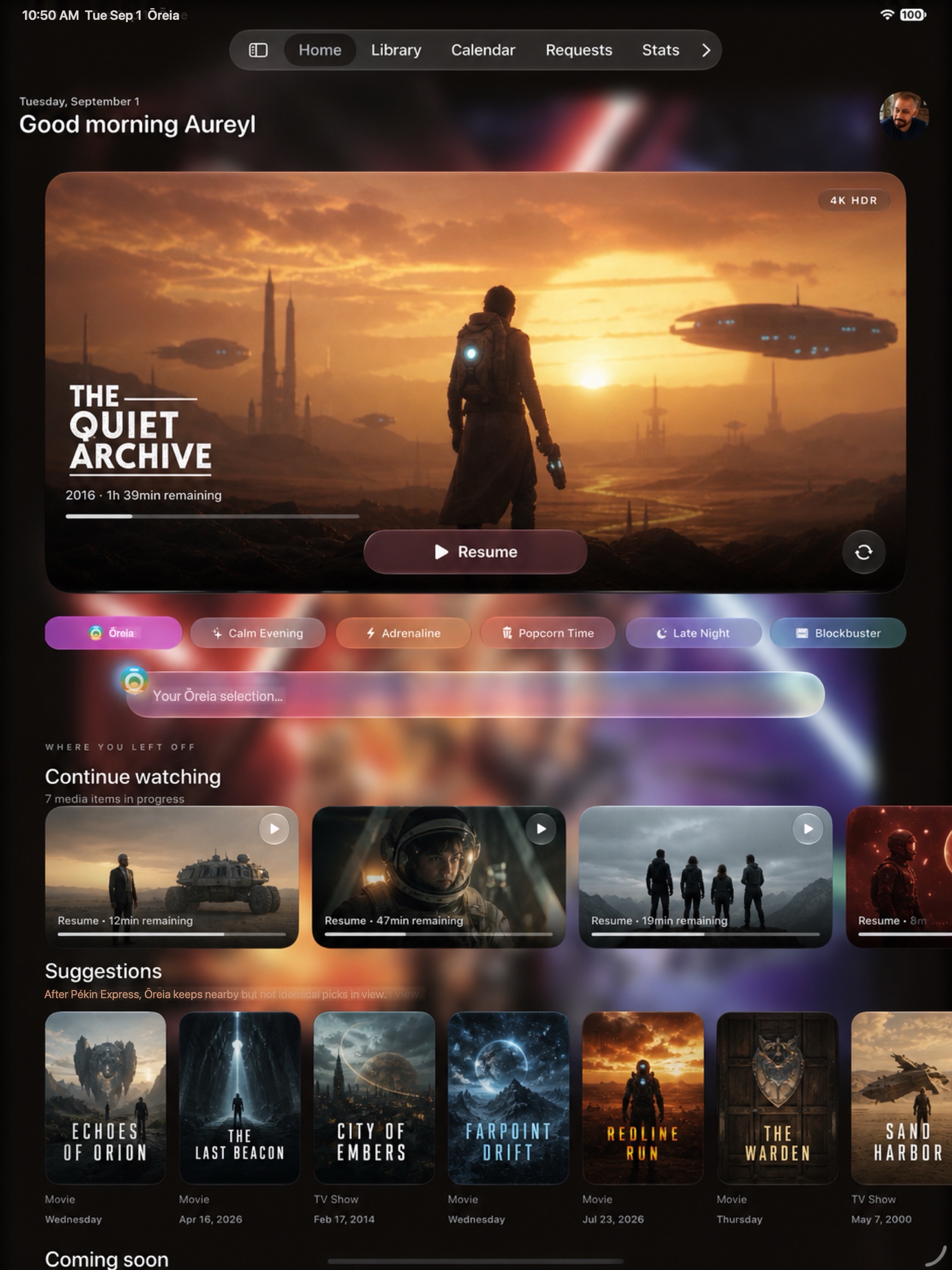
The iPhone experience expands naturally on iPad, with more space for your library and nothing lost in translation.
Your cinema companion
Ōreia is being crafted for people who want their media universe to feel less like a server and more like a place.
Contact us